
TubeMagic Review 2026: Is This AI YouTube Tool Actually Worth It?
Overall Rating: ★★★★☆ 4.3/5
If you run a YouTube channel — or several — you already know the real bottleneck isn’t filming. It’s the endless cycle of researching ideas, writing scripts, and optimizing titles/tags before you even hit record. TubeMagic promises to compress that entire workflow into minutes using AI.
We spent time testing it firsthand across scripting, SEO metadata generation, and multi-language support to see if it lives up to the hype — or if it’s just another overpriced AI wrapper.
What Is TubeMagic?
TubeMagic is an all-in-one AI toolkit built specifically for YouTube creators. Originally known as Morise.ai, it was acquired and relaunched by Matt Par — a creator who manages 12+ YouTube channels with over 1 billion combined views — which gives the tool some real creator-tested credibility.
Instead of juggling ChatGPT, a separate SEO tool, and a spreadsheet of video ideas, TubeMagic bundles:
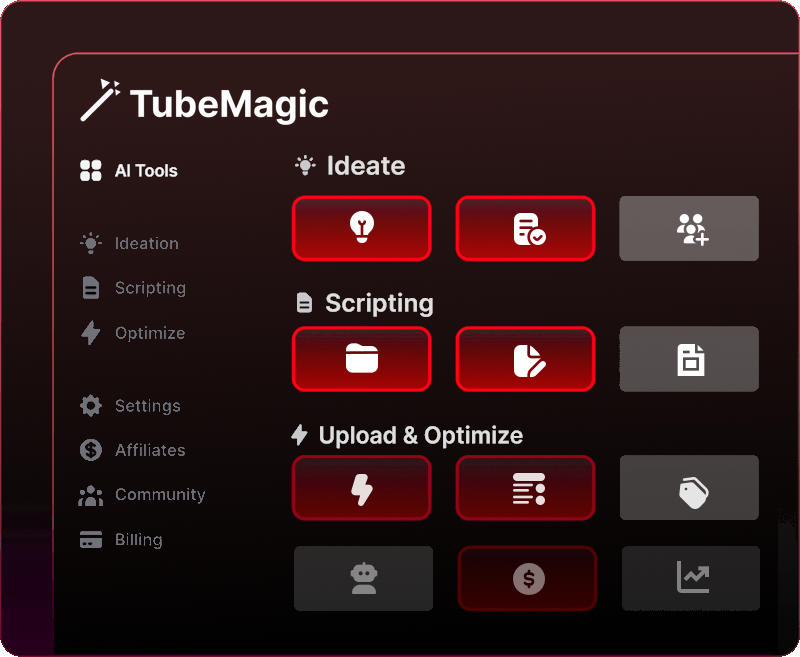
- AI script writing
- Video idea generation
- SEO metadata optimization (titles, tags, descriptions)
- Multi-language support (95+ languages)
- Thumbnail and Shorts generation tools
Image not availableImage: Feature breakdown from the TubeMagic dashboard
How TubeMagic Works
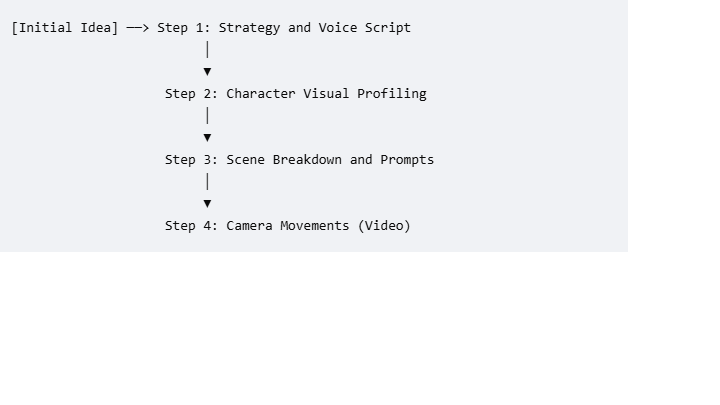
Step 1: Match Your Channel’s Style
You paste your channel link, and TubeMagic analyzes your existing content to match your brand voice and tone. This is a nice touch — it avoids generic, robotic-sounding scripts that don’t fit your channel’s personality.
Step 2: Choose Your AI Model
TubeMagic lets you pick between Claude 4.6 and GPT-4o for script generation. In our testing, Claude produced noticeably more natural, human-like flow compared to GPT-4o, which tended to sound slightly more templated.
Step 3: Set Script Length
You select your target video length — anywhere from 1 to 20 minutes — and TubeMagic automatically adjusts word count and pacing to match.
Step 4: Add Inspiration Videos
You can input top-performing videos in your niche, and the tool extracts key structural and retention elements, blending them with your own training data to generate a more optimized script.
Key Features We Tested
AI Script Writer
This is TubeMagic’s core feature. We generated over 20 scripts across three different niches — Tech, Finance, and Faceless Documentary content — to test consistency.
Results:
- Scripts were generated in under 60 seconds
- Hooks, talking points, and CTAs were well-structured
- Retention-focused pacing was noticeably better than plain ChatGPT output
- Some editing was still required for full authenticity
Warp Upload (SEO Metadata Tool)
Warp Upload automatically generates titles, descriptions, tags, and timestamps optimized for YouTube search. This saved significant time compared to manually researching keywords and competitor titles.

Video Idea Generator
TubeMagic can generate months’ worth of content ideas based on your niche and search demand — useful if you’re stuck in a creative rut or planning a content calendar in advance.
Multi-Language Support
With support for 95+ languages, TubeMagic is a strong option for creators targeting international audiences or running multiple localized channels.
Pricing
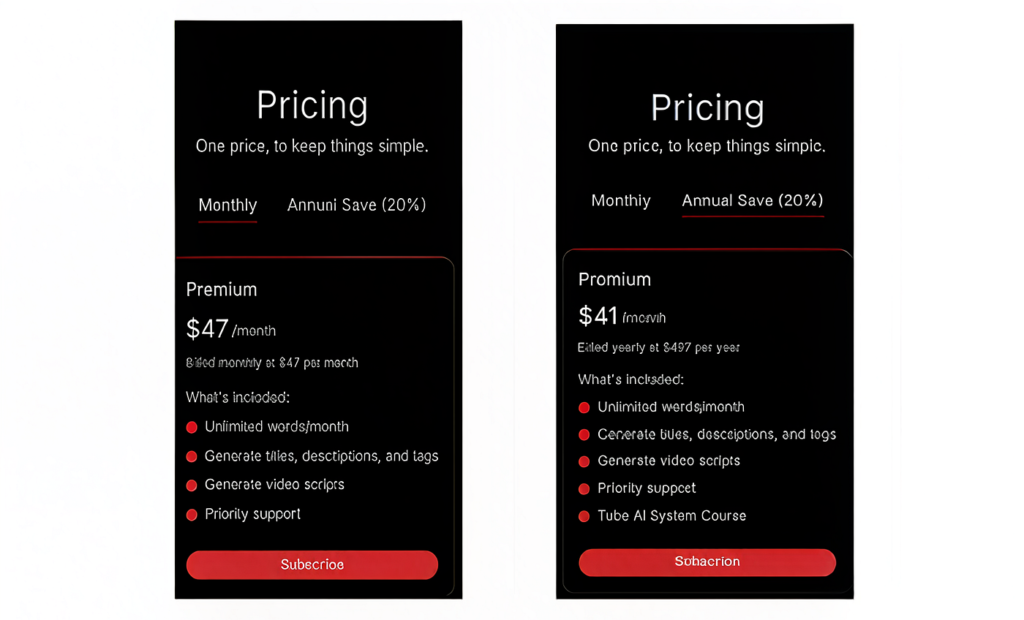
| Plan | Price | Includes |
|---|---|---|
| Standard | $47/month | AI script writer, title/description generator, tag tools |
| Pro | ~$41/month (annual) | Unlimited generations, multi-language, Warp Upload |
| Enterprise/Team | Custom | Not clearly published — contact sales |
TubeMagic doesn’t offer a permanent free tier, but it does include a 30-day money-back guarantee, which reduces the risk of trying it out.
Pros and Cons
✅ What We Liked
- Unlimited script generation on paid plans — no token anxiety
- Warp Upload automates the tedious SEO metadata process
- Dual AI models (Claude 4.6 + GPT-4o) reduce robotic-sounding scripts
- Reported 30–40% reduction in production time by real users
- Fully web-based — no clunky browser extension
❌ What Could Be Better
- $47/month is steep compared to using ChatGPT directly
- No permanent free plan for casual or hobbyist creators
- Scripts still need human editing for full authenticity
- No built-in A/B testing (competitors like TubeBuddy offer this)
- Generic ideas can surface in highly competitive niches
Who Is TubeMagic Best For?
✅ A Good Fit If You:
- Run a YouTube channel and want to publish more consistently
- Are a solo creator without a dedicated writer or SEO specialist
- Struggle with generating fresh video ideas
- Want better-optimized titles, descriptions, and tags
- Are experimenting with Shorts at scale
❌ Probably Not for You If:
- You already have a scripting/SEO workflow you’re happy with
- You expect fully finished videos with zero editing needed
- You don’t publish on YouTube regularly
TubeMagic vs. Alternatives
| Tool | Best For | Starting Price |
|---|---|---|
| TubeMagic | AI scripts + SEO metadata | $47/mo |
| TubeBuddy | A/B testing + analytics | $9/mo |
| VidIQ | Keyword research + analytics | Free–$39/mo |
| ChatGPT (standalone) | Basic scripting only | $20/mo |
TubeMagic sits in a premium niche — it’s not the cheapest option, but it’s more specialized for YouTube than general AI writing tools, and more script-focused than analytics tools like TubeBuddy or VidIQ.
Final Verdict
TubeMagic Rating: 4.3/5
TubeMagic genuinely solves a real problem: the ideation-to-optimization bottleneck that slows down consistent YouTube publishing. It’s not magic (despite the name) — scripts still need your personal touch — but it meaningfully cuts down production time, especially for creators running faceless channels or managing multiple videos per week.
If you’re a serious, consistent YouTube creator, the $47/month price tag is justifiable given the time saved. If you’re a casual hobbyist publishing once a month, you’ll likely be fine with ChatGPT and manual research instead.
Bottom line: Worth trying if you take YouTube seriously — thanks to the 30-day refund policy, there’s little risk in testing it yourself.
Image not availableImage: CTA banner – “Try TubeMagic Risk-Free”
FAQ
Is there a TubeMagic free trial? No permanent free trial, but there’s a 30-day money-back guarantee.
Which AI model is better in TubeMagic: Claude or GPT-4o? Claude 4.6 tends to produce more natural, human-like scripts in our testing.
Does TubeMagic work for Shorts? Yes, it includes tools for generating Shorts scripts and metadata.
Is TubeMagic good for beginners? It’s more suited for creators already publishing regularly, rather than absolute beginners just starting out.